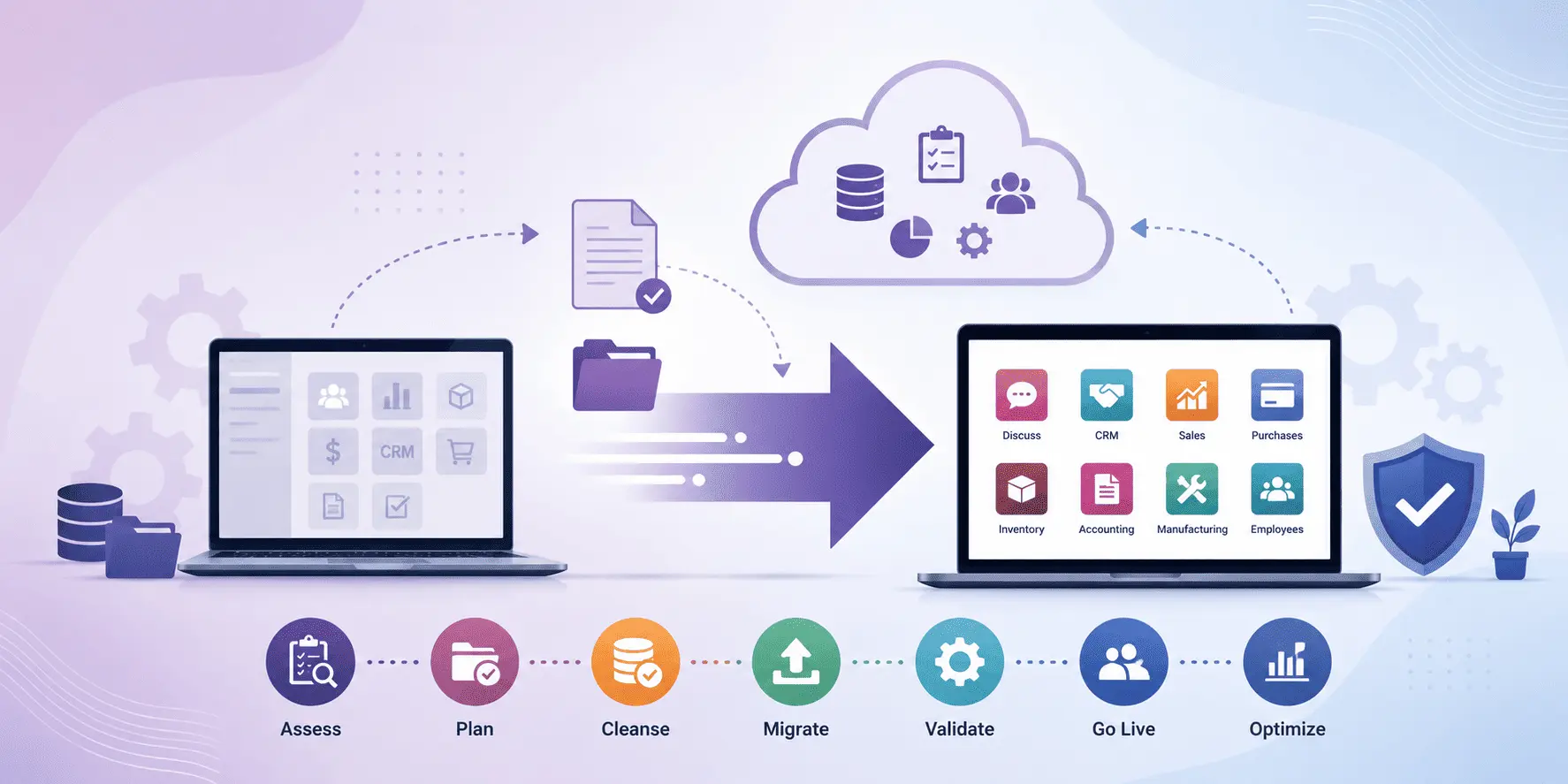
Odoo Migration Best Practices for a Smooth ERP Upgrade
Migrating to a newer Odoo version can give businesses access to improved performance, stronger security, new features, better integrations, and a more scalable ERP environment. However, an Odoo migration is more than moving data from one database to another.
A successful migration requires careful planning, data preparation, custom module assessment, testing, validation, and a well-managed go-live process.
For businesses that rely on Odoo for sales, accounting, inventory, CRM, eCommerce, manufacturing, or other critical operations, even a small migration issue can affect daily workflows. That is why following proven Odoo migration best practices is essential.
DX8 provides end-to-end Odoo migration services covering system audits, data cleansing, version upgrades, custom module migration, ERP-to-Odoo migration, cloud migration, staging, validation, production cutover, and post-migration support.
Why Odoo Migration Requires Careful Planning
An Odoo upgrade can involve changes to the database structure, standard modules, custom code, integrations, workflows, reports, and user configurations.
Odoo itself recommends requesting an upgraded test database, thoroughly testing it, resolving issues, and rehearsing the upgrade before moving to production. Production databases are unavailable while the upgrade is being performed, making preparation particularly important.
The complexity becomes greater when your business uses custom modules or third-party integrations. Odoo notes that custom modules need to be compatible with the target version before the database can be successfully upgraded.
A structured migration process helps reduce these risks.
1. Assess Your Existing Odoo Environment
Before starting the migration, create a complete picture of your current ERP environment.
Review:
- Current Odoo version
- Target Odoo version
- Database size
- Installed applications
- Custom modules
- Third-party applications
- External integrations
- Custom workflows
- Automated actions
- Reports and dashboards
- User roles and permissions
- Hosting environment
- Business-critical processes
This assessment helps identify dependencies and potential compatibility issues before they affect the migration timeline.
DX8 begins its migration methodology with a system audit and evaluates existing data, configurations, customisations, and integrations as part of the migration planning process.
2. Define a Clear Migration Strategy
Every Odoo migration is different.
A business upgrading from an older Odoo version may require a different approach from a company migrating from SAP, Microsoft Dynamics, Sage, QuickBooks, or another ERP system.
Your migration strategy should define:
- Migration scope
- Target Odoo version
- Data to be migrated
- Data that can be archived
- Customisations to retain
- Customisations to replace with standard Odoo functionality
- Required integrations
- Testing requirements
- Expected timeline
- Cutover approach
- Rollback strategy
DX8 supports both Odoo version upgrades and migrations from external ERP platforms, with data mapping and structured cutover planning tailored to the project.
3. Clean Your Data Before Migration
Poor-quality data can make an ERP migration unnecessarily complicated.
Over time, businesses accumulate duplicate contacts, inactive products, outdated records, inconsistent formats, obsolete fields, and unnecessary historical information.
Before migration, review your data and consider:
- Removing duplicate records
- Archiving obsolete data
- Standardising formats
- Reviewing inactive users
- Cleaning customer and supplier records
- Checking product information
- Validating financial records
- Identifying obsolete fields
- Reviewing historical transactions
Data cleansing can reduce migration complexity while helping your new Odoo environment start with reliable information.
DX8’s migration service includes data auditing, deduplication, format standardisation, and integrity validation.
4. Review Custom Modules and Customisations
Customisation is often one of the biggest challenges in an Odoo upgrade.
A module built for an older Odoo release may depend on APIs, models, views, fields, or workflows that have changed in the target version.
Odoo recommends reviewing and updating custom modules as part of the upgrade process. Its documentation also recommends stopping ongoing development during the upgrade process, reviewing existing customisations, removing unnecessary code, and testing the modules against the target version.
Before migration, identify:
- Custom modules
- Custom fields
- Custom views
- Automated actions
- Server actions
- Custom reports
- Email templates
- Website customisations
- Custom workflows
Then determine whether each customisation should be migrated, redesigned, replaced with standard Odoo functionality, or removed.
DX8 reviews custom modules for deprecated APIs, outdated view structures, and version-specific incompatibilities before adapting and testing them for the target Odoo version.
5. Build a Staging Environment
One of the most important Odoo migration best practices is to avoid making the production database your testing environment.
Instead, perform the migration in a controlled staging environment first.
A staging environment allows your team to:
- Perform a test migration.
- Identify errors.
- Test custom modules.
- Validate migrated data.
- Test integrations.
- Measure migration duration.
- Rehearse the production cutover.
- Resolve issues before go-live.
Odoo specifically recommends obtaining an upgraded test database and thoroughly testing business workflows before upgrading the production database.
DX8 follows a controlled staging approach so migration activities can be tested before the production cutover.
6. Test Your Critical Business Workflows
A technically successful migration does not necessarily mean your business is ready to go live.
Your team should test real business scenarios from beginning to end.
For example:
Sales
Lead → Opportunity → Quotation → Sales Order → Delivery → Invoice → Payment
Purchase
Request for Quotation → Purchase Order → Receipt → Vendor Bill → Payment
Inventory
Product → Purchase → Receipt → Stock Movement → Sales → Delivery
eCommerce
Product Selection → Cart → Checkout → Payment → Order → Delivery
Accounting
Invoice → Payment → Reconciliation → Financial Reporting
Odoo recommends testing business flows, reports, record creation and modification, website functionality, automated actions, integrations, and data exports before production upgrades.
Testing these workflows helps uncover issues that may not be visible during technical database validation.
7. Test Third-Party Integrations
Modern Odoo environments rarely operate in isolation.
Your ERP may be connected to:
- Payment gateways
- Shipping providers
- Marketplaces
- eCommerce platforms
- Banking services
- CRM systems
- Accounting applications
- External APIs
- Email services
- Business intelligence platforms
After migration, these integrations should be tested individually and as part of complete business workflows.
Pay particular attention to API credentials, authentication, endpoints, field mappings, synchronisation schedules, and error handling.
Odoo’s upgrade documentation specifically recommends testing integrations with external software, including APIs and EDI, as well as workflows between different applications.
8. Validate Migrated Data
Data migration should not be considered successful simply because the records appear in the new database.
Your team should compare important information between the source and target environments.
Validate:
- Customer records
- Supplier records
- Products
- Inventory
- Sales orders
- Purchase orders
- Invoices
- Payments
- Accounting data
- Taxes
- Pricelists
- User permissions
- Attachments
- Historical records
For critical financial and operational information, reconciliation is particularly important.
DX8 places data integrity at the centre of its migration methodology and performs validation throughout the migration process.
9. Plan the Cutover Around Your Business
The production cutover is the moment when your new Odoo environment becomes the live system.
Choose a period when business activity is lowest. For many organisations, this may be overnight or during a weekend.
Before the cutover, define:
- Final backup time
- Data freeze period
- Migration start time
- Responsible team members
- Validation steps
- Integration activation
- User communication
- Go-live approval
- Rollback conditions
DX8 states that its production cutovers are generally scheduled during off-hours and are designed to minimise disruption, with the cutover window typically lasting less than two hours for most projects.
The exact duration will depend on the size and complexity of the migration.
10. Create and Test a Rollback Plan
Even a carefully tested migration needs a contingency plan.
A rollback strategy should answer one critical question:
What happens if the new environment cannot safely go live?
Your plan should include:
- Verified backups
- Restoration procedures
- Defined rollback triggers
- Assigned responsibilities
- Communication procedures
- Recovery expectations
- Final go/no-go criteria
DX8 prepares a documented rollback plan before production cutover, including verified backups and restoration procedures.
Having a tested rollback plan can significantly reduce uncertainty during the final migration stage.
11. Train Users Before Go-Live
An ERP upgrade is also a change-management project.
Even when the migrated data and technical configuration are correct, employees may need time to understand changes to menus, workflows, reports, and new features.
Before go-live:
- Train key users
- Demonstrate important workflow changes
- Provide process documentation
- Identify departmental champions
- Prepare frequently asked questions
- Run user acceptance testing
This gives employees an opportunity to identify functional problems before the system becomes critical to daily operations.
DX8 includes training and post-migration support as part of its broader migration approach.
12. Monitor the System After Go-Live
Migration does not end when users log into the new environment.
The first days and weeks after go-live are important for identifying:
- Performance issues
- Data anomalies
- Integration failures
- Access problems
- Workflow errors
- Reporting discrepancies
- User questions
- Unexpected configuration issues
DX8 provides structured post-migration support covering bug resolution, performance tuning, user training, and ongoing system optimisation.
Post-migration monitoring helps businesses move from a successful technical migration to a stable, productive ERP environment.
Odoo Migration Best Practices Checklist
Before going live, businesses should confirm that they have:
- Completed a system assessment
- Defined the migration scope
- Cleaned and validated data
- Reviewed custom modules
- Tested third-party integrations
- Created a staging environment
- Completed multiple test migrations
- Tested critical business workflows
- Validated migrated data
- Verified production backups
- Rehearsed the cutover
- Prepared a rollback plan
- Trained key users
- Defined post-go-live support procedures
Following this checklist can help reduce unexpected issues and make the migration process more predictable.
How DX8 Supports a Smooth Odoo Migration
DX8 provides comprehensive Odoo migration services for businesses upgrading from older Odoo versions, moving from another ERP system, migrating to the cloud, or transitioning between Odoo editions.
Its migration services include:
- Odoo version upgrades
- ERP-to-Odoo migration
- Odoo cloud migration
- CRM migration
- Data migration and cleansing
- Custom module migration
- Community-to-Enterprise migration
- Fresh Odoo implementation
- Post-migration support
DX8’s website states that its migration methodology is designed around data integrity, controlled staging, testing, validation, and minimal disruption. The company also identifies itself as a certified Odoo partner headquartered in the Netherlands with a delivery centre in India.
Final Thoughts
A successful Odoo migration starts long before the production database is upgraded.
The most important best practices are to assess your existing environment, clean your data, review customisations, test in staging, validate critical workflows, check integrations, rehearse the cutover, maintain verified backups, and provide strong post-migration support.
Odoo’s own documentation reinforces the importance of testing an upgraded database before production and recommends a full rehearsal before the production upgrade.
For businesses planning an Odoo version upgrade or moving from another ERP system, choosing an experienced migration partner can help reduce technical risks, protect business data, and minimise disruption.
DX8 combines Odoo-certified expertise with an end-to-end migration approach designed to make ERP upgrades more predictable and secure.
Planning an Odoo migration? Get a free migration assessment from DX8 and build a clear roadmap for your ERP upgrade.

Swati Rawat is a writer and researcher with a strong interest in digital transformation, emerging technologies, and the evolving intersection of business and innovation. At DX8, she focuses on translating complex ideas into clear, actionable insights, helping readers understand how technology shapes modern organizations and decision-making. With a detail-oriented approach and a passion for continuous learning, Swati contributes thoughtful, well-researched content designed to inform, engage, and empower a global audience.